


Every Shopify store owner runs into the same challenge: shoppers have questions and they want answers right now. A visitor deciding whether to buy might wonder how long shipping takes to their country, whether a jacket runs true to size or how returns work during the holiday season. When those questions go unanswered, shoppers rarely wait around, they leave and often buy from a competitor instead.
Adding a Shopify AI chatbot to your store using StoreFAQ is one of the most direct ways to close that gap.
This guide explains why an AI chatbot matters for ecommerce and walks you through exactly how to add one to your Shopify store using StoreFAQ, an AI-powered FAQ and support app built by Storeware. By the end, you will know how to set it up, customize it to your brand and put it to work turning more of your visitors into paying customers.
Why Add a Shopify AI Chatbot to Your Store?
Customer expectations have shifted. Modern shoppers want quick, convenient, and personalized help throughout their journey, and they judge a store partly by how easily they can get answers before they buy.
That preference is measurable. A Salesforce survey found that 69% of consumers prefer chatbots for quick communication with brands, largely because they deliver answers in seconds rather than hours. When a customer has to leave a product page to hunt for information or worse, send an email and wait, uncertainty creeps in and uncertainty is what stops a purchase.
Adding an AI chatbot to your Shopify store helps you:
- Answer customer questions instantly, at the moment of decision
- Reduce repetitive support tickets so your team can focus on complex issues
- Provide assistance around the clock, across every time zone
- Build shopper confidence before checkout
- Help visitors find the right information without leaving the page
- Handle many conversations at once during peak traffic
- Create a self-service support experience that scales as you grow
Rather than sending customers to a long FAQ page or a contact form, the chatbot delivers answers in a conversational, user-friendly format, the way shoppers increasingly expect to be served.
Meet StoreFAQ AI Chatbot
StoreFAQ AI Chatbot is designed to help Shopify merchants automate customer interactions using advanced AI technology.
The chatbot analyzes customer questions and generates relevant responses based on your store’s available information. Whether shoppers want details about products, shipping policies, return procedures, business hours or frequently asked questions, the chatbot can respond instantly without human intervention.
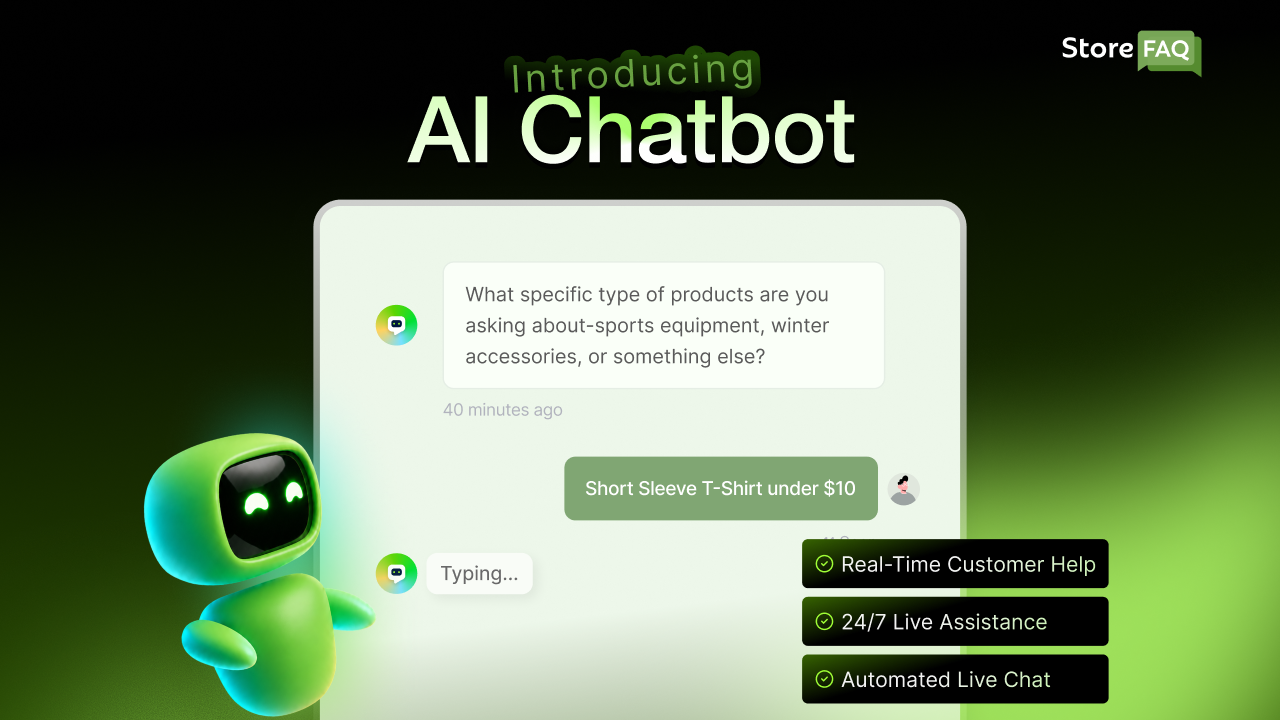
Because the chatbot works continuously, customers receive support regardless of time zone or business hours.
What Makes the StoreFAQ AI Chatbot Valuable?
Compared with traditional support channels, the StoreFAQ AI Chatbot can:
- Handle multiple conversations simultaneously, with no queue
- Deliver consistent, on-brand answers across every interaction
- Reduce the load on your support agents
- Respond in seconds rather than hours
- Help shoppers make informed purchasing decisions
- Scale alongside your growing Shopify business
By combining automation with answers grounded in your store’s information, StoreFAQ helps you build a support experience that is both efficient and genuinely helpful.
How to Add a Shopify AI Chatbot to Your Store
Adding the AI Chatbot takes only a few minutes. Below is the short version, two setup steps and the outcome you can expect. For a complete, click-by-click walkthrough of every setting, follow the StoreFAQ documentation linked at the end of this section.
Before You Start: Install StoreFAQ
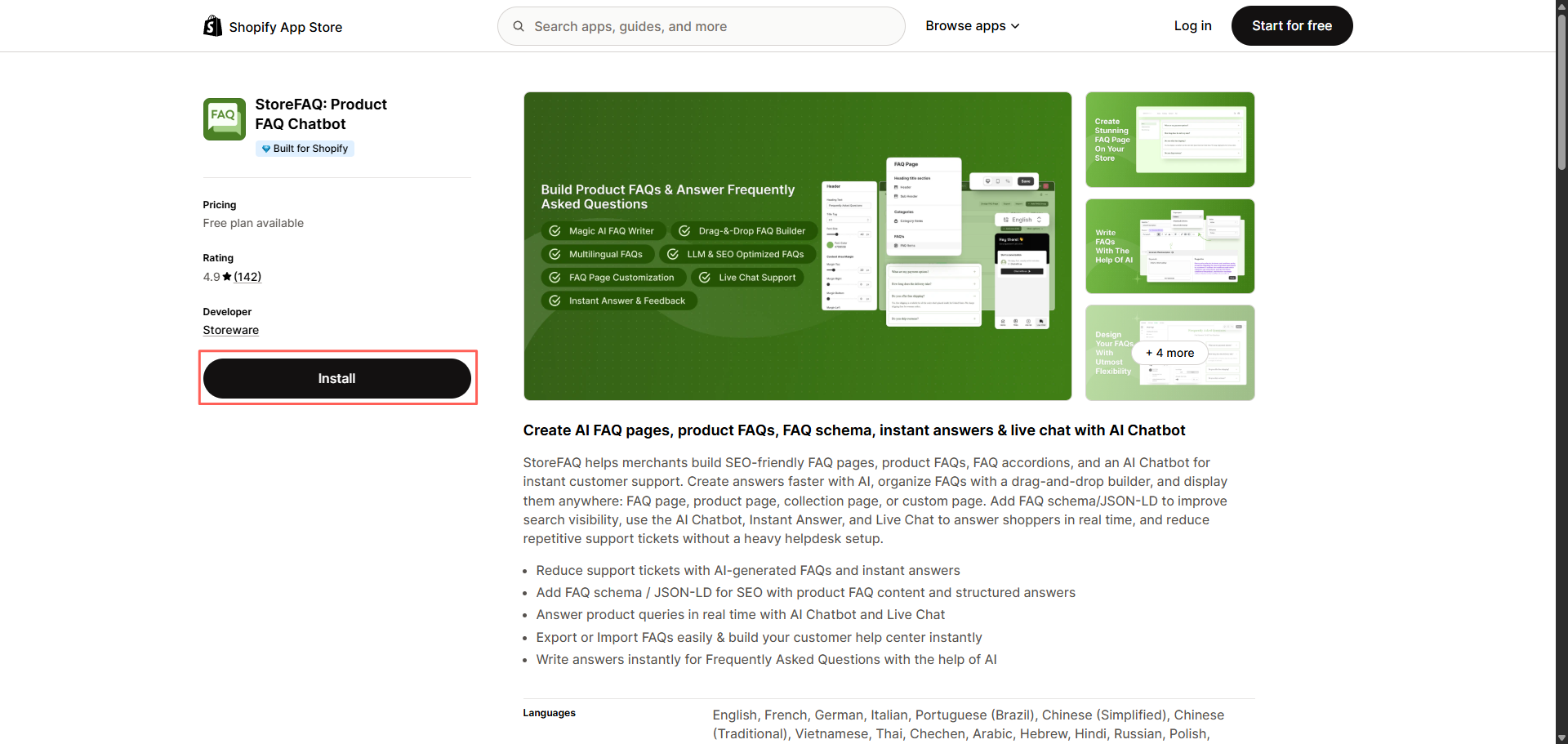
If you have not added the app yet, install it first. Open the StoreFAQ listing on the Shopify App Store, click Install and grant the requested permissions. Once installed, StoreFAQ appears in your Shopify admin under Apps. If you would like a guided setup, StoreFAQ’s installation and getting-started documentation covers the process end to end.
Step 1: Enable And Set Up the AI Chatbot
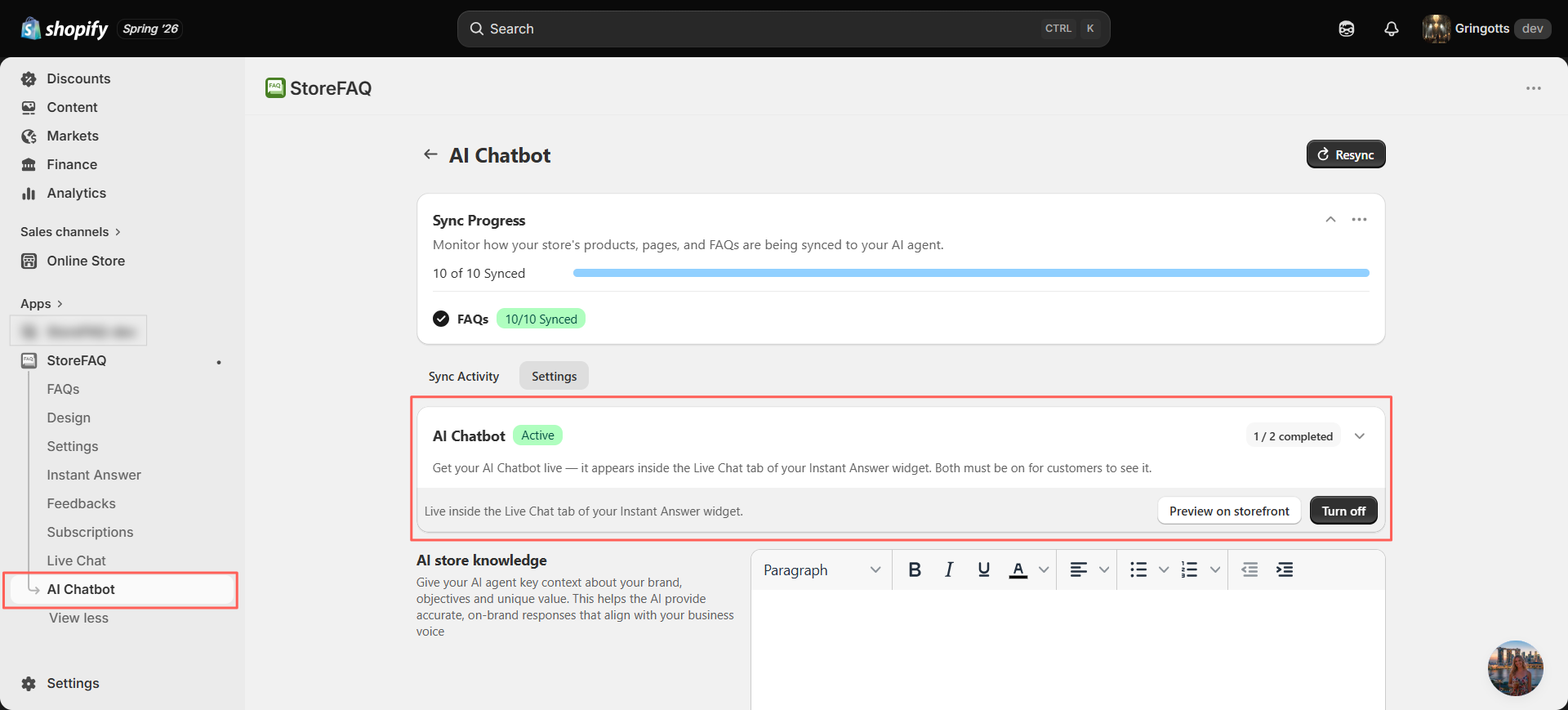
From your Shopify admin, open StoreFAQ and navigate to the AI Chatbot section, the central hub for enabling the chatbot, managing its behavior and configuring how it answers.
Turn the chatbot on, then point it at your knowledge sources so it can respond accurately. The more complete your FAQs, product information and policy pages are, the better the answers the AI will generate.
Step 2: Customize the Chatbot to Match Your Brand
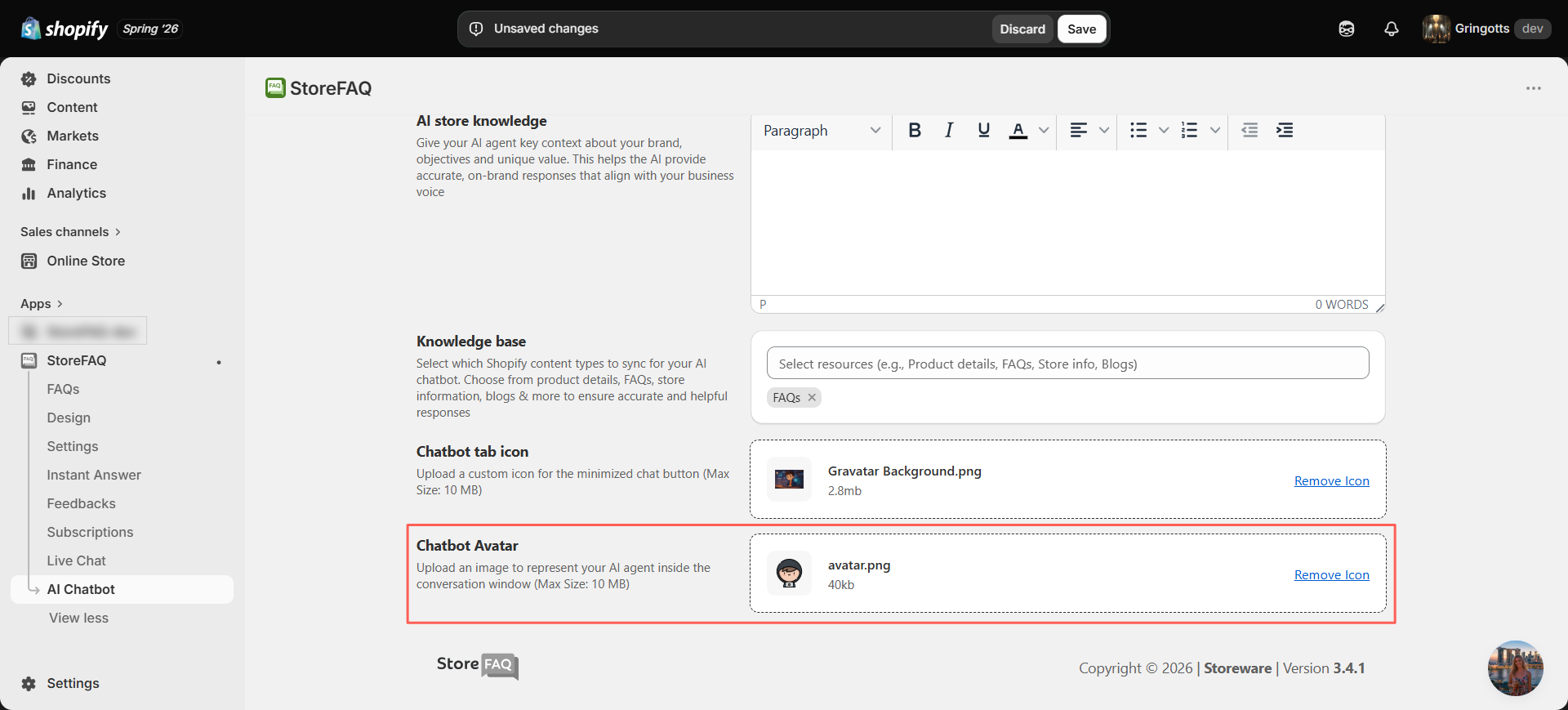
A chatbot should feel like a natural part of your storefront, not a bolt-on tool. In the appearance settings, align the chat widget and window with your store’s design: adjust colors and styling, set a welcome message and add your branding so the experience feels consistent from the first click. Visual consistency reassures shoppers and strengthens brand recognition.
Final Step: Publish & See It Live
Save your settings and publish. That’s it, the chatbot is now live on your storefront. Visitors can open the chat widget, ask a question in their own words, and receive an AI-generated answer in real time, drawn from your store’s information.
This short setup covers the essentials. For advanced configuration, fine-tuning responses, generating FAQ content with AI and connecting Live Chat for human handoff, see the full documentation.
See It in Action: Questions Your AI Chatbot Can Answer
The real value of an AI chatbot shows up on the questions a static FAQ page cannot easily handle, the specific, combined, or conditional questions shoppers actually ask before they buy. Because StoreFAQ reasons over your store’s information rather than matching to a fixed list, it can piece together an answer from several sources at once.
Example 1: Sizing And Fit
“I’m 5’9” and about 165 lbs with broad shoulders, would the medium or large fit me better in the linen shirt?”
Rather than pointing the shopper to a generic size chart, the chatbot can combine your sizing data with the product’s specifics to suggest a size and explain the trade-off, the kind of guidance that removes hesitation and reduces returns.
Example 2: Shipping Timing And Cut-offs
“If I order in the next hour, will this arrive before Saturday if I’m shipping to Chicago?”
This question depends on your processing time, shipping methods, and order cut-offs. The chatbot can synthesize those details into a single, direct answer instead of leaving the customer to interpret a shipping policy page on their own.
Example 3: Conditional Returns And Gifting
“I want to buy this as a holiday gift — if it doesn’t fit, can it still be returned in January?”
Here the answer hinges on your return window and any seasonal policy. The chatbot can apply those rules to the shopper’s exact scenario, giving them the confidence to buy now rather than wait.
These are the moments that decide a sale. Answering them instantly and accurately is where an AI chatbot earns its place in your store.
Benefits for Shopify Merchants
The advantages of an AI chatbot go well beyond convenience. For merchants, the impact shows up in two places that matter most: revenue and operating efficiency.
Shopify merchants are constantly looking for ways to streamline operations, improve customer experiences and drive more sales. Utilizing AI chatbots can deliver real advantages from saving time on support to boosting engagement and conversions.
Turn More Visitors Into Customers
This is the benefit that most directly affects your bottom line. With average cart abandonment sitting at 70.22% (Baymard Institute), the gap between a visitor and a customer is often a single unresolved doubt. Baymard’s usability research also found that removing friction and answering shopper concerns at the right moment can lift conversion rates by up to roughly 35% for a typical large store.
An AI chatbot attacks that gap directly. When a shopper hesitates over sizing, shipping, or a return policy, the chatbot resolves the question in seconds before the visitor gives up and closes the tab.
Because most abandonment stems from hesitation and friction rather than a lack of interest, answering questions in the moment is one of the most cost-effective ways to protect a sale and improve your visitor-to-customer conversion rate.
Reduce Support Workload
A large portion of support requests are the same handful of recurring questions. When the chatbot handles those automatically, your team is freed to focus on the complex, high-value issues that genuinely need a human, the ones where empathy and judgment make the difference. The result is lower ticket volume without a larger headcount.
Respond Instantly, Around the Clock
Shoppers no longer wait for business hours, and increasingly they expect not to. An AI chatbot responds in seconds at any hour, so a customer browsing late at night or from another time zone gets the same fast, reliable help as one shopping midday. Faster answers mean fewer drop-offs and a noticeably better experience.
Scale Support as You Grow
As your store grows, inquiries grow with it. An AI chatbot lets you absorb that increase without scaling your support team at the same rate, it handles many conversations at once and keeps quality consistent even during peak traffic and seasonal spikes.
Best Practices for Getting the Most from Your AI Chatbot
An AI chatbot is only as strong as the information behind it. A few habits will keep yours accurate and effective.
It can do far more than just answer customer questions, they can transform the way your business engages with visitors, drives sales, and builds loyalty. But to unlock that potential, you need to know how to use them effectively.
Keep Your Knowledge Sources Updated
The chatbot’s answers depend on the quality of your store’s content. Review and update your FAQs, shipping and return policies, product information, and support documentation regularly so shoppers always receive current, accurate answers.
Write Clear, Well-Structured Policies
Policies that are easy for a person to understand are also easier for the AI to interpret. Clear, well-organized documentation improves both the customer experience and the precision of the chatbot’s responses.
Monitor Real Conversations
Review chatbot interactions periodically to spot patterns, frequently asked questions, gaps in your knowledge base, recurring pain points, and opportunities to improve your content. Real conversations are the clearest signal of what your customers actually need.
Keep the Chatbot On-Brand
Customize the chatbot’s appearance, tone and messaging to reflect your store. A consistent brand experience builds trust and makes the support feel professional rather than generic.
Frequently Asked Questions
Why use an AI chatbot instead of live chat?
Most stores use both: the AI resolves the common, repetitive questions automatically, and a human steps in through live chat for the complex or sensitive cases. StoreFAQ supports this combined approach with both Instant Answer and Live Chat.
AI chatbot vs. FAQ page, what’s the difference?
An AI chatbot reasons over your store’s information, so it can answer specific or combined questions that were never written as a standalone entry , for example, a sizing question tied to a particular product. In practice, a chatbot turns your FAQ content into an interactive experience rather than a static list.
AI chatbot vs. traditional support — is it a replacement?
Your human agents then handle the smaller share of complex issues that need judgment, giving customers the best of both.
What are common mistakes when setting up an AI chatbot?
Skipping the customization step is another miss: an on-brand chatbot feels far more trustworthy than a generic one.
How do you train an AI chatbot?
From there, you refine over time by reviewing real conversations, filling gaps the AI could not answer and updating content as your store changes. The stronger your content foundation, the better the answers.
How does StoreFAQ generate its answers?
What happens when the AI doesn’t know an answer?
StoreFAQ’s built-in Live Chat lets you step in for exactly these moments, so a question the AI can’t resolve still reaches a human instead of a dead end. Reviewing these unanswered questions is also the fastest way to improve your knowledge base.
Can it be handed off to a human agent?
Deliver Smarter Customer Support with StoreFAQ AI Chatbot
Providing fast and reliable customer support no longer requires a large support team.
With StoreFAQ AI Chatbot, Shopify merchants can answer customer questions instantly, reduce repetitive support requests and create a more convenient shopping experience for visitors.
The setup process is simple, the customization options are flexible and the benefits extend to both customers and store owners.
Whether you’re looking to improve customer satisfaction, streamline support operations or provide assistance around the clock, StoreFAQ AI Chatbot helps you create a smarter support experience for your Shopify store.
Configure your AI Chatbot in StoreFAQ today and start helping customers find the answers they need whenever they need them.
If this blog helped you, please subscribe for more simple guides, tutorials and tips to grow your Shopify store.